Maintenance, connected to your CMMS.
Treedis doesn’t replace SAP, Maximo, or whatever CMMS you already run, it connects to it. Open, view, and issue work orders in the 3D twin and in AR on the asset, with every change syncing two-way back to your system of record.
A two-way bridge to the systems you already run.
Your work orders already live in SAP, Maximo, or another CMMS, but that system has no idea where the asset physically sits. Crews still lose time finding the equipment, hunting its history, and re-keying the same data twice.
Maintenance is a bidirectional connectivity layer on top of your CMMS. Open, view, assign, and issue work orders directly in the twin or in AR on the asset, and every update flows straight back to your system of record. No rip-and-replace, no double entry.
A connectivity layer for everything maintenance.
Five capabilities, all pinned to the asset and synced two-way with your systems of record.
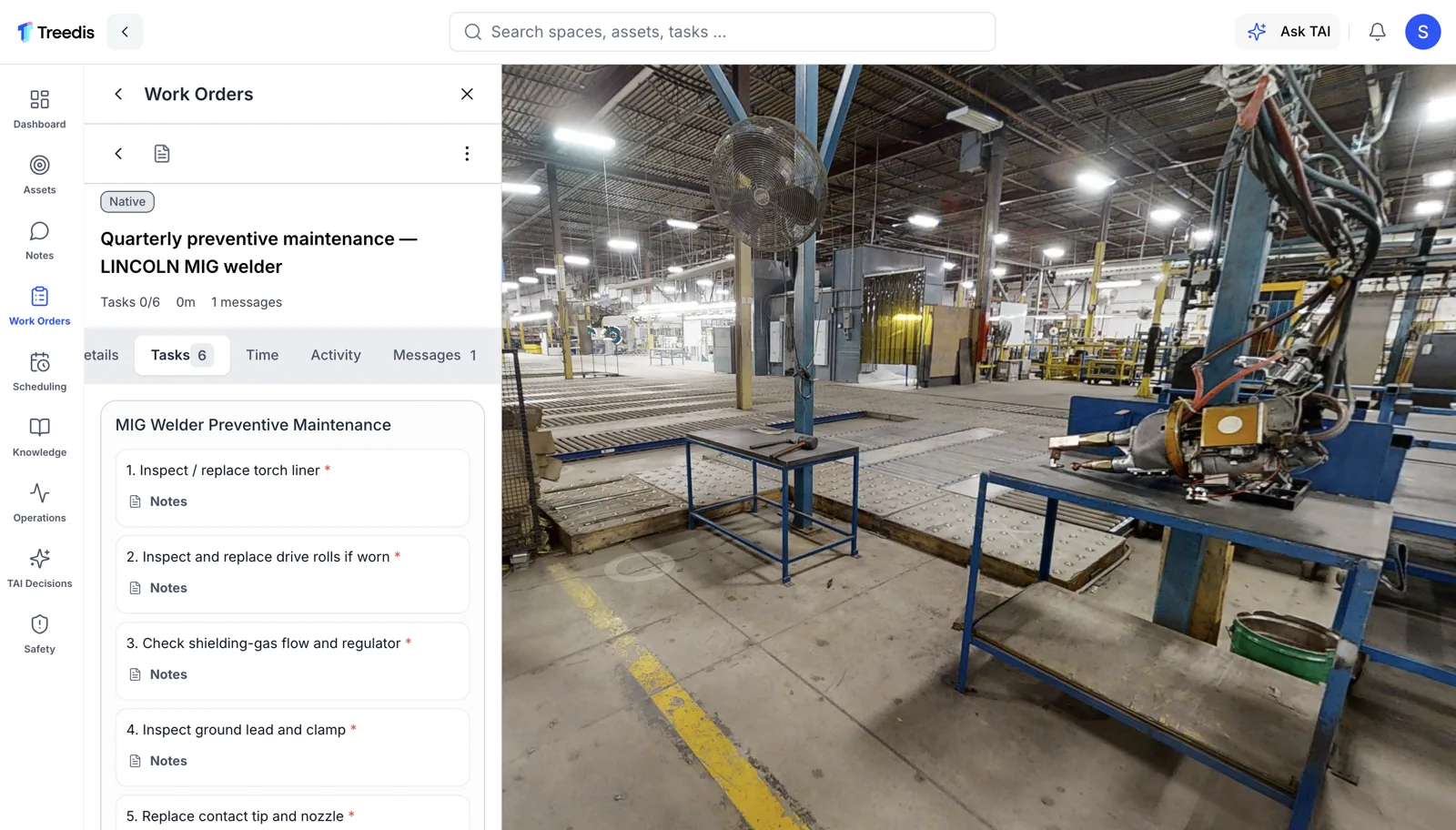
Work orders
Open, view, assign, and issue work orders right on the asset in 3D or AR, every one synced two-way with your CMMS.
- Two-way sync with SAP, Maximo & more
- Issue and close from the field
- No re-keying between systems
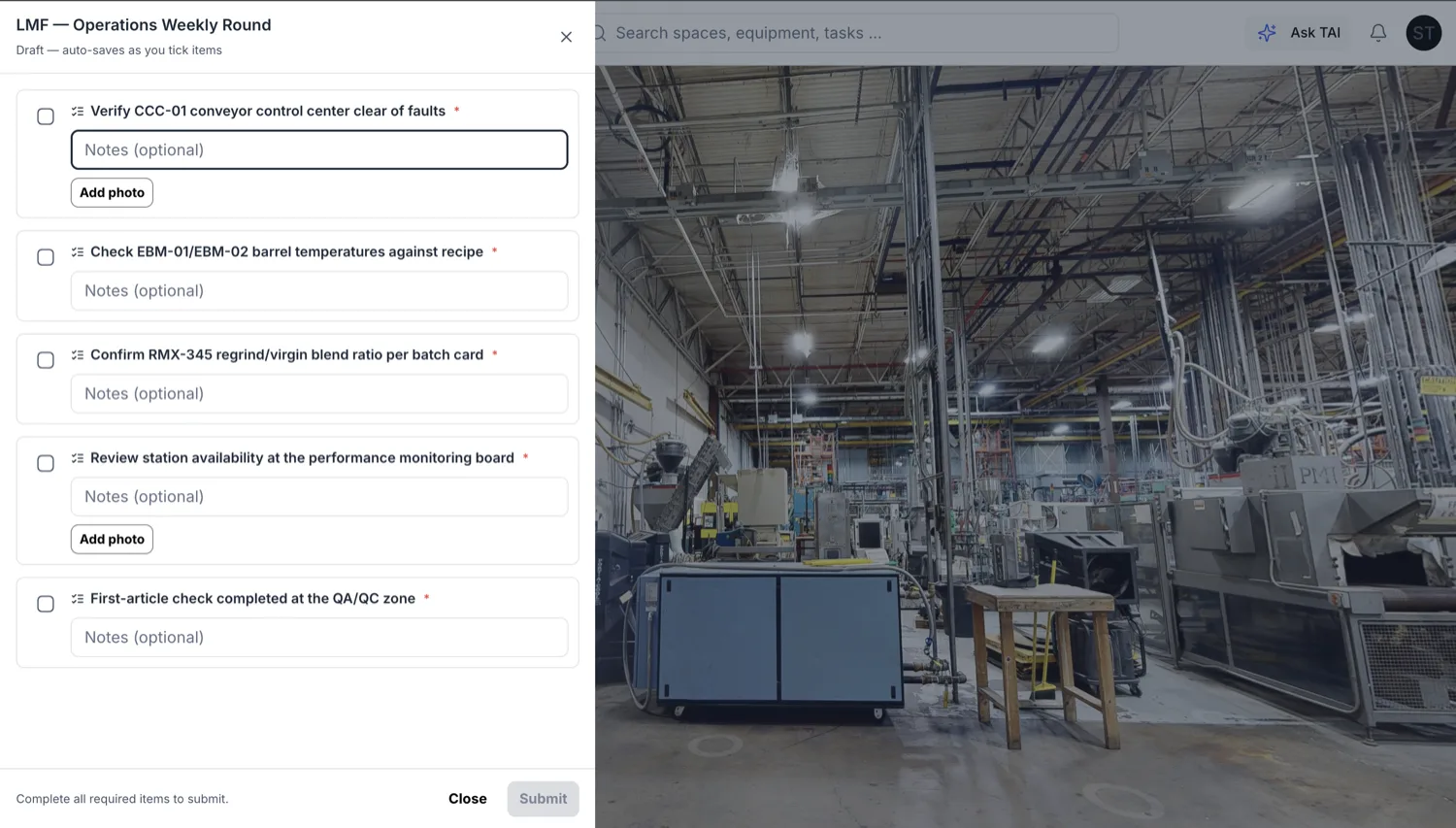
Checklists
Step-by-step task lists with sign-off, so routine and safety-critical work runs the same way every time, by anyone.
- Guided, signed-off steps
- Standardised across shifts and sites
- No skipped steps on critical work
Scheduler
Schedule work orders and assign them to teams from the dashboard, then see exactly what’s planned on each asset in the twin.
- Plan and assign from one dashboard
- Workload balanced across teams
- Schedule visible on every asset
Collaboration
Answer, assign, and comment on work right where it happens. Threads live on the asset so the next technician picks up exactly where the last one left off.
- Comment and reply in context
- Assign and reassign on the spot
- Clean hand-offs between shifts
Asset history
A full audit trail per asset, from work orders to readings, so the whole story of a piece of equipment is one tap away.
- Complete history per asset
- From the desk or on the floor
- Faster, better-informed decisions
See your system sync in the twin.
Open or update a work order in SAP, IBM Maximo, Hexagon Octave, or the CMMS you already run, and watch it land on the exact asset in the 3D twin, with every change flowing straight back the other way. One record, kept in sync both ways, right where the work happens.
Bring maintenance onto the asset.
Pin every work order, checklist, and record to the equipment it belongs to, and sync it with the systems you already run.